Last Updated: September 12, 2026
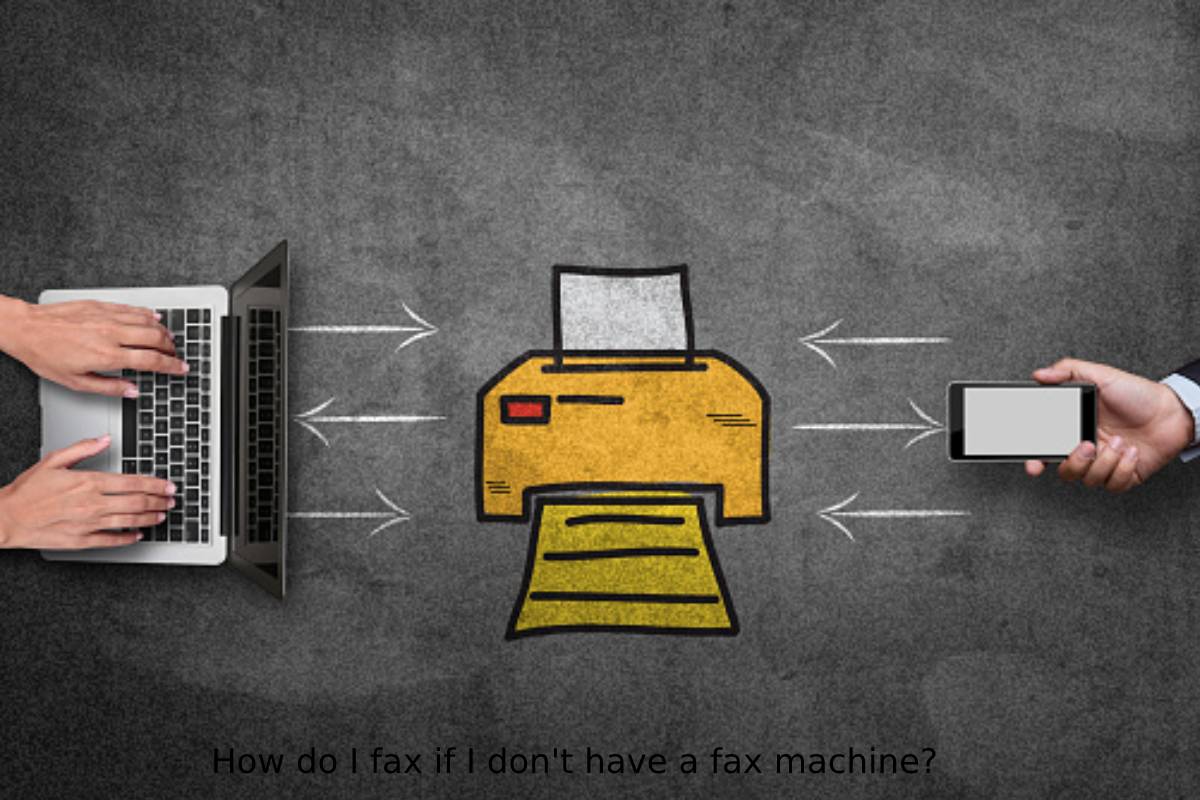
You need to send a fax — but you do not own a fax machine. Maybe you never have. Maybe yours broke. Maybe you are travelling. Whatever the situation, the good news is this: you absolutely do not need a physical fax machine to send or receive a fax in 2026.
There are multiple ways to fax from your computer, smartphone, or even a public location — many of them free for occasional use, and all of them faster and more convenient than a traditional fax machine. This guide walks you through every realistic option, explains how each one works, and helps you pick the right method for your situation.
Quick Answer: The fastest way to fax without a fax machine is to use an online fax service on your computer or smartphone. Services like eFax, HelloFax, and FaxZero let you upload a document and send it to any fax number — no hardware required. For a one-time fax, FaxZero offers limited free pages. For regular use, a paid online fax subscription ($10–$20/month) is the most practical long-term solution.
This article belongs to Software & Apps
Table of Contents
Why Do People Still Need to Fax in 2026?
It is a fair question. In an age of email, e-signatures, and cloud storage, why does faxing still exist at all? The answer is: certain industries and institutions still require it — not out of stubbornness, but because fax has specific legal and compliance properties that email currently lacks in those contexts.
- Healthcare and medical offices: In the United States, HIPAA regulations have historically treated fax as a compliant method of transmitting patient information, according to the U.S. Department of Health & Human Services. Many hospitals, clinics, and insurance companies still communicate via fax as a result.
- Legal and court systems: Law firms, courts, and government agencies frequently require fax for submitting documents. In some jurisdictions, faxed signatures carry the same legal standing as originals.
- Real estate transactions: Purchase agreements, offer letters, and disclosure documents are routinely sent by fax in real estate — particularly when dealing with older agencies or international transactions.
- Banking and finance: Loan applications, account changes, and authorization forms are still frequently transmitted by fax, particularly at established financial institutions.
- Government agencies: Many local and national government departments still accept or require faxed documentation for permits, applications, and formal correspondence.
Method 1: Online Fax Services (Best for Most People)

Many online fax services allow you to send and receive faxes without a fax machine. These services typically require you to sign up for an account and provide you with a unique fax number, and you can use this number to send and receive faxes from any mobile phone or computer with an internet connection.
Online fax services are also useful when documents are part of wider business processes, where digital tools can help organize and manage operational information. For example, businesses may use risk management software alongside other digital tools to manage important business activities.
How Online Fax Services Work
- You upload your document (PDF, Word file, image) to the service’s website or app
- You enter the recipient’s fax number
- The service converts your document and transmits it as a standard fax
- The recipient’s fax machine (or their own fax service) receives it normally
- Most services also give you a dedicated fax number so others can fax documents to you
The Best Online Fax Services
Here are the most widely used and reliable online fax services:
- eFax: One of the most established online fax providers. Offers a dedicated fax number, mobile app, email-to-fax functionality, and plans starting around $18/month. Best for business users who send and receive faxes regularly.
- HelloFax (now part of HelloSign/Dropbox): Clean, user-friendly interface with Dropbox, Google Drive, and OneDrive integration. Good for users already in the Google or Dropbox ecosystem. Plans start around $10/month.
- FaxZero: Best option for free, occasional faxing. Allows up to 5 free faxes per day (up to 3 pages each) with a small advertisement on the cover page. Paid plans remove the ad and increase limits.
- RingCentral Fax: Popular with businesses already using RingCentral for communications. Integrates with many business tools and CRMs. More enterprise-focused pricing.
- MyFax: Offers unlimited pages on paid plans with a dedicated fax number. Good value for high-volume users. Plans from around $10/month.
- Plus: Modern interface with a free tier (10 free pages to start), email-to-fax, and solid mobile apps for both iOS and Android.
Pros and Cons of Online Fax Services
- Pros: No hardware needed, works from any device, accessible anywhere, most include a dedicated fax number for receiving, documents stored digitally, HIPAA-compliant options available
- Cons: Monthly subscription cost for regular use, free tiers have page limits and sometimes add cover page ads, requires internet access
Method 2: Email to Fax
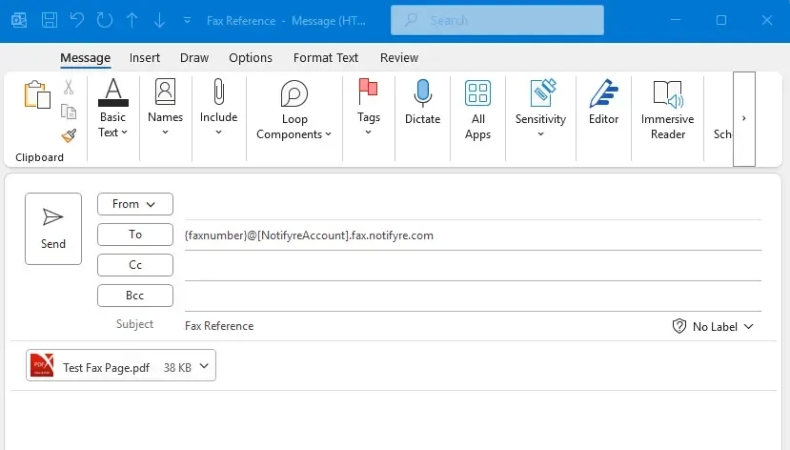
If you already have an online fax service account, most of them offer an email-to-fax feature — meaning you can send a fax directly from your regular email without even logging into the fax service’s website.
How Email-to-Fax Works
- Open your regular email client (Gmail, Outlook, Apple Mail — it doesn’t matter)
- Address the email to: [recipient’s fax number]@[your fax service domain] — for example, 12125551234@efaxsend.com
- Attach your document (PDF recommended for best formatting)
- Write any cover note in the email body (it becomes the fax cover page)
- Send — the fax service handles the rest
This method is particularly useful if you send faxes regularly but do not want to log into a separate platform each time. It turns faxing into a task as simple as sending an email.
Method 3: Fax From Your Smartphone

You can send a fax directly from your iPhone or Android phone using a dedicated fax app. This is particularly useful if you need to fax a physical document — you simply photograph the document with your phone camera and the app handles the rest.
Smartphone users can also use many other mobile applications for communication, productivity, and everyday tasks. Exploring successful mobile apps can provide useful context on how mobile software has become part of everyday digital activities.
Using Photoshop to Prepare Documents for Faxing
Before sending a scanned document by fax, image-editing software can be useful for improving readability, cropping unnecessary areas, or adjusting the document image. For example, Photoshop can help prepare an image or scanned document before it is converted into a suitable format for faxing.
Best Fax Apps for iPhone and Android
- Plus (iOS and Android): Free tier with 10 pages, clean interface, supports PDF and image attachments. Highly rated on both app stores.
- iFax (iOS and Android): Specifically designed for mobile faxing. Allows you to photograph documents and fax them directly. HIPAA-compliant version available for medical professionals.
- Genius Fax (iOS and Android): Simple, straightforward interface. Good for users who need occasional faxing from their phone without complex features.
- FAX from iPhone — Send Fax App (iOS): Popular iOS-specific app with a clean interface for quick faxes. Supports cloud document imports from Google Drive, Dropbox, and iCloud.
How to Fax a Physical Document From Your Phone
- Open your fax app and select “New Fax” or equivalent
- Choose to photograph or scan your document using your phone camera
- Adjust, crop, and confirm the document looks clear and legible
- Enter the recipient’s fax number
- Add a cover note if required
- Send — the app transmits it as a standard fax
Method 4: Fax From Google Docs or Google Drive
If you use Google Workspace (formerly G Suite) for your work or personal documents, you can fax directly from Google Docs or Google Drive using third-party add-ons — without leaving the Google ecosystem.
Services like HelloFax and Fax.Plus offer Google Workspace add-ons that integrate directly into Google Docs. Once installed, you can select “Send as Fax” from the document menu and transmit any Google Doc, Sheet, or Slide directly to a fax number.
This is particularly convenient if you are preparing a document in Google Docs and need to fax it immediately — removing the step of downloading it, logging into a fax service, and uploading it again.
Method 5: Use a Library, Print Shop, or Office Supply Store
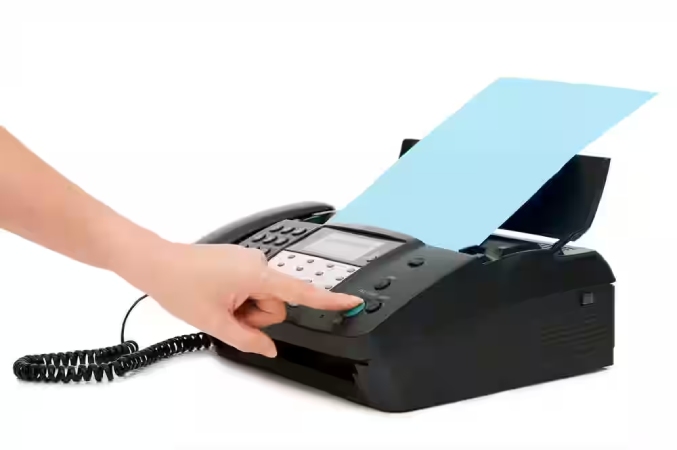
If you need to send a one-time fax and do not want to set up any online service, a physical location with a public fax machine remains a reliable option in many areas.
Where to Find Public Fax Machines
- Public libraries: Many public libraries offer fax services for a small per-page fee. Check your local library’s website or call ahead to confirm availability.
- UPS Stores: UPS Store locations in the US and internationally offer fax services at per-page rates (typically $1–$2 per page for local, more for international).
- FedEx Office (Kinko’s): FedEx Office locations offer fax services as part of their business services. Per-page pricing applies.
- Staples and Office Depot: Both chains offer in-store fax services at most locations. Per-page fees apply.
- Hotels: Many hotel business centers offer fax services for guests — useful when travelling.
- Local print and copy shops: Independent print shops in most cities and towns offer fax services, often at competitive per-page rates.
When This Method Makes Sense
This option is best when you only need to send one fax and do not expect to need fax capability again soon. For a single document, paying $2–$5 at a UPS Store is simpler than setting up an online service. However, for anything more than occasional use, an online fax service is more cost-effective and far more convenient.
Method 6: Use a Multifunction Printer With Fax Capability
If you own a multifunction printer — one that prints, scans, and copies — there is a reasonable chance it also has fax capability, even if you have never used it.
Check your printer’s model number and look at the features listed on the manufacturer’s website. If it includes fax, you will need to connect it to a telephone line (a standard landline or a VoIP line that supports fax). Many people with fax-capable multifunction printers simply never connected the phone line port and do not realize faxing is available to them.
This option requires a telephone line connection, which is less common in homes and small offices than it once was. If you do not have a landline, this method is not practical — in which case one of the online options above is the better choice.
Which Method Is Right for You? A Quick Comparison
Here is a simple breakdown of each method by use case:
| Method | Best For | Cost | Setup Required |
| Online fax service | Regular use, business | $10–$20/month | Account signup |
| Email to fax | Frequent users | Included with service | Online fax account |
| Smartphone app | On-the-go, mobile docs | Free tier / paid | App download |
| Google Docs add-on | Google Workspace users | Varies by service | Add-on install |
| Library / print shop | One-time fax only | $1–$5 per page | None |
| Multifunction printer | Home/office with landline | Free (if connected) | Phone line needed |
Tips for Sending a Clear, Successful Fax
Regardless of which method you use, these best practices will help ensure your fax arrives clearly and completely:
- Use PDF format where possible: PDF is the most reliable document format for faxing — it preserves layout, fonts, and formatting better than Word or image files.
- Check the fax number carefully: A wrong digit means your document goes nowhere. Double-check the country code, area code, and number before sending.
- Keep formatting simple: Complex layouts, very small fonts, and coloured backgrounds do not transmit well via fax. Black text on white background, minimum 10pt font, renders most reliably.
- Include a cover page: A brief cover page with sender name, recipient name, fax number, date, and number of pages is standard practice and helps the recipient process the fax correctly.
- Request a confirmation: Most online fax services send a delivery confirmation. Check this to verify your fax was received — do not assume success without confirmation.
- Follow up if critical: For time-sensitive documents, a quick phone call to confirm receipt is always worth doing, regardless of the transmission method.
Authoritative Sources Referenced:
- S. Department of Health & Human Services (HHS) — HIPAA Fax Guidance: hhs.gov/hipaa
- FTC Consumer Information — Understanding Business Communication Tools: consumer.ftc.gov
- eFax Official — Online Fax Service Documentation: efax.com
Frequently Asked Questions (FAQ)
The most common questions about faxing without a fax machine.
Can I send a fax from my computer for free?
Yes — FaxZero allows you to send up to 5 faxes per day (up to 3 pages each) for free, with a small advertisement on the cover page. Fax.Plus offers 10 free pages when you first sign up. For a single occasional fax, these free options are entirely sufficient. For regular faxing, a paid online fax service starting around $10/month offers more pages, a dedicated fax number for receiving, and no ads.
Can I send a fax from my iPhone or Android phone?
Yes. Apps like Fax.Plus, iFax, and Genius Fax allow you to send faxes directly from your smartphone. You can attach documents from your phone, cloud storage (Google Drive, Dropbox, iCloud), or photograph a physical document using your phone camera. The app converts and transmits it as a standard fax to any fax number worldwide.
Can I send a fax from Gmail or Outlook?
Yes — if you have an online fax service account that supports email-to-fax (most do). You send an email to a special address in the format [fax number]@[service domain], attach your document, and the service transmits it as a fax. You do not need to log into the fax service’s website. The specific email address format varies by provider — check your fax service’s help documentation for the correct format.
What file format should I use when sending a fax online?
PDF is the recommended format for online faxing. It preserves document layout, fonts, and formatting precisely, regardless of what software the recipient uses. Most online fax services also accept Word documents (.doc, .docx), common image formats (JPG, PNG, TIFF), and occasionally other formats — but PDF is always the safest choice for reliable transmission.
How long does it take to send a fax online?
Online faxes typically transmit within 1–5 minutes for standard-length documents. Longer documents, international transmissions, or busy receiving fax lines can extend this to 10–15 minutes. Most online fax services send you an email confirmation once delivery is complete — or notify you if transmission failed. If you have not received confirmation within 15 minutes, check your service dashboard and consider resending.
Is online faxing secure and HIPAA compliant?
Security varies by provider. For general personal use, reputable online fax services use encrypted transmission and secure storage. For healthcare professionals required to comply with HIPAA, several services offer explicitly HIPAA-compliant plans — including eFax Business, iFax, and Fax.Plus Business. These plans include Business Associate Agreements (BAAs) and additional security measures required under HIPAA. Always verify HIPAA compliance directly with the service provider before transmitting protected health information.
Final Thoughts: You Don’t Need a Fax Machine to Fax
The fax machine is an increasingly rare piece of hardware — but the ability to fax is more accessible than ever. Whether you need to send a single document today or manage regular fax communication for your business, there is a method that fits your situation without requiring a physical machine.
For most people, the answer is simple: pick an online fax service, create a free or low-cost account, and send your fax from any device in minutes. For a one-time fax, FaxZero or your local UPS Store will get the job done. For regular business use, a paid subscription to eFax, HelloFax, or Fax.Plus gives you a full professional fax solution without any hardware.
The fax machine may be obsolete. Faxing itself is not — and doing it has never been easier.
For more practical how-to guides and business tools, visit The Marketing Info at themarketinginfo.com.